
A good team meeting agenda turns a weekly get-together into a short, focused meeting where updates are quick, problems get solved and everyone leaves knowing what to do next. On this page you’ll find free team meeting agenda templates in Microsoft Word, a real example agenda you can copy, and 30 agenda item ideas for your next team meeting.
All templates are free to download and edit. Open them in Word or upload them to Google Docs, add your team’s details, and share the agenda with your team before the meeting.
Free team meeting agenda templates
Choose a layout that fits the way your team works, from a detailed manager’s agenda with time slots to a short, relaxed format for smaller teams.
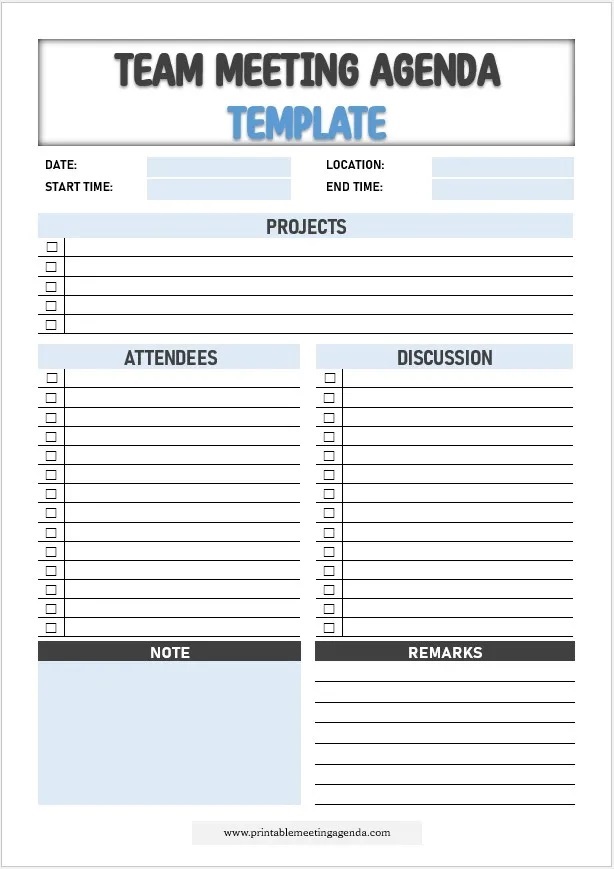
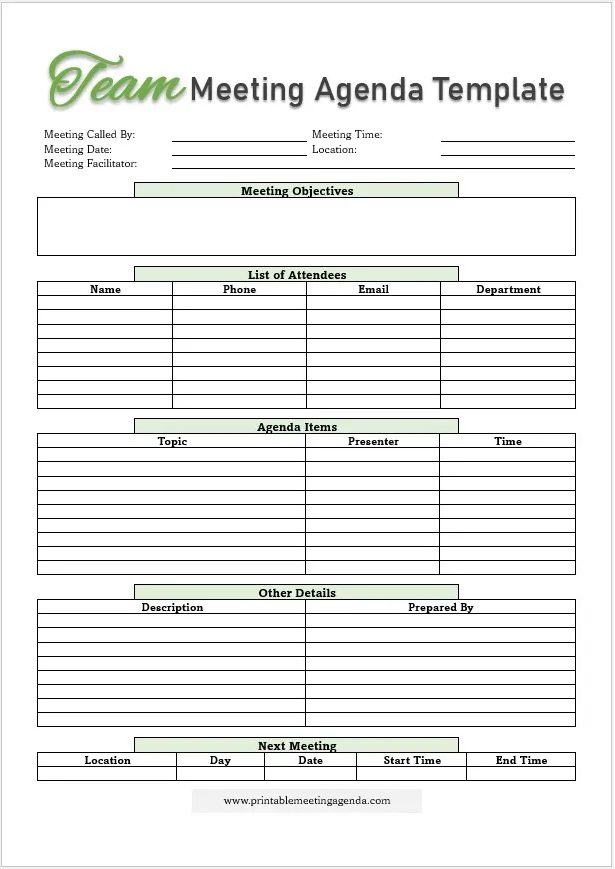

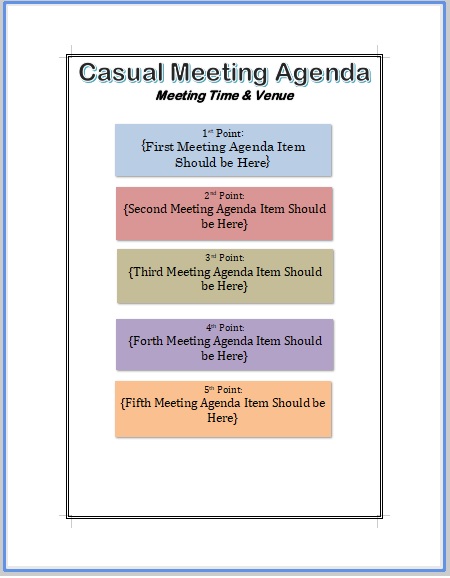
Team meeting agenda example
Here is a 30-minute team meeting agenda for a customer support team. You can use the same structure for almost any team: start with something positive, check last meeting’s actions, review the numbers, spend most of the time on one real discussion, and finish with clear action items.
Northwind Support Team
Team Meeting Agenda
Objective: Finalize the holiday coverage schedule
| Time | Item | Lead |
|---|---|---|
| 2:00 | Quick wins from this week | All |
| 2:03 | Action items from last meeting | Priya |
| 2:08 | Ticket volume and response times | Daniel |
| 2:15 | Discussion: holiday coverage schedule | Priya |
| 2:25 | Action items, owners and deadlines | Note-taker |
Next meeting: Thursday, 22 October, 2:00 PM
Notice that the discussion item gets the most time and has a clear goal written at the top. Status updates are kept short because most of them could be shared in writing before the meeting.
What to include in a team meeting agenda
Every team meeting agenda should cover these parts, in roughly this order:
- Meeting details. Team name, date, start and end time, room or video link, and the facilitator.
- Objective. One sentence on what the meeting must achieve, such as a decision, a plan or a solved problem.
- Wins or check-in. A few minutes to share good news or see how people are doing.
- Review of previous action items. Confirm what was completed and what is still open.
- Updates and metrics. Short progress reports on projects, goals or key numbers.
- Discussion and decision items. The main topics, each with a time slot and an owner.
- Any other business. A small slot for urgent topics that came up after the agenda was sent.
- Action items and next meeting. Who does what by when, and the date of the next meeting.
For more on layouts, see our guide to the meeting agenda format.
Team meeting agenda items: 30 topic ideas
Stuck on what to put on the agenda? Pick two or three of these for your next meeting rather than trying to cover everything.
Progress and updates
- Progress on this quarter’s goals
- Key metrics compared with last week or month
- Project milestones reached or missed
- Upcoming deadlines for the next two weeks
- Updates from other departments that affect the team
- Customer feedback and complaints worth discussing
Planning and priorities
- Priorities for the coming week or sprint
- Workload and capacity: who has too much, who has room
- Upcoming holidays, leave and coverage
- Budget or resource requests
- Planning for a new project or launch
- What to stop doing to make room for priorities
Problems and decisions
- Blockers slowing the team down
- A decision the team needs to make today
- Recurring problems and their root causes
- Risks to current projects
- Lessons learned from a recent project or mistake
- Choosing between two options or vendors
People and culture
- Team wins and shout-outs
- Welcoming a new team member
- Training and learning opportunities
- Team morale and workload check
- Upcoming team events or celebrations
- One thing each person needs from the team
Process improvement
- A process or tool that isn’t working
- Ideas to save time on repetitive tasks
- Communication: what should be a meeting and what should be a message
- Updating team documentation or checklists
- Reviewing how well team meetings are working
- Handoffs between the team and other departments
How to run a productive team meeting
Before the meeting
Ask team members to add topics to a shared agenda, then trim it to what fits the time. Put decisions and important discussions near the top. Send the final agenda at least a day in advance, and ask people to share routine updates in writing beforehand so the meeting can focus on discussion.
During the meeting
Start on time, even if someone is late. Read the objective aloud, keep to the time slots, and park off-topic conversations for later. Rotate the facilitator and note-taker roles so the same person isn’t always running the meeting.
After the meeting
Send a short summary within a few hours listing decisions and action items, each with an owner and a deadline. Use our meeting minutes templates to record them, and start the next meeting by reviewing those action items.
Team meeting agendas for different meeting types
The right agenda depends on how often your team meets and why. Use this table to find the best fit:
| Meeting type | Typical length | Main focus |
|---|---|---|
| Daily stand-up | 10–15 minutes | What was done, what’s next, any blockers |
| Weekly team meeting | 30–60 minutes | Progress, priorities and one or two discussions |
| Monthly staff meeting | 60–90 minutes | Company updates, results and planning |
| Project team meeting | 30–60 minutes | Milestones, risks and task assignments |
| One-on-one meeting | 30 minutes | Individual goals, feedback and support |
Remote and hybrid team meetings
For remote or hybrid teams, add the video link and time zone to the top of the agenda, share it in the meeting chat, and keep meetings shorter than in-person ones. A quick round where everyone speaks early on helps remote team members join the conversation instead of just listening.
Frequently asked questions
How long should a team meeting be?
Most weekly team meetings work best at 30 to 45 minutes. Daily stand-ups should take 15 minutes or less. If your meetings regularly run over an hour, move routine updates to a written report and keep the meeting for discussion.
How often should a team meet?
Weekly is the most common rhythm for team meetings. Fast-moving teams often add a short daily stand-up, while teams that work independently may only need a meeting every two weeks.
Who should prepare the team meeting agenda?
Usually the team leader or manager prepares the agenda, but the best agendas include topics suggested by team members. A shared document where anyone can add items before a set deadline works well.
What is the difference between a team meeting and a staff meeting?
A team meeting brings together one team to discuss its own work, goals and problems. A staff meeting usually includes a whole department or company and focuses on wider updates and announcements.
How can I make team meetings more engaging?
Keep updates short, spend most of the time on real discussions, ask a different person to lead each meeting, and start with team wins. Ending with clear action items shows people that the meeting led to something.
Should I send the agenda before the meeting?
Yes. Send it at least 24 hours in advance so team members can prepare updates, read any documents and think about the discussion topics before they arrive.
Related meeting agenda templates
Looking for something more specific? Try our weekly meeting agenda, one-on-one meeting agenda, project kickoff meeting agenda or informal meeting agenda templates, or browse all meeting agenda templates.
Pingback: One-on-One Meeting Agenda Templates + 40 Questions to Ask
Pingback: Staff Meeting Agenda Template: Free Word Downloads + Topics
Pingback: Meeting Request Letter & Email Samples (8 Free Templates)